
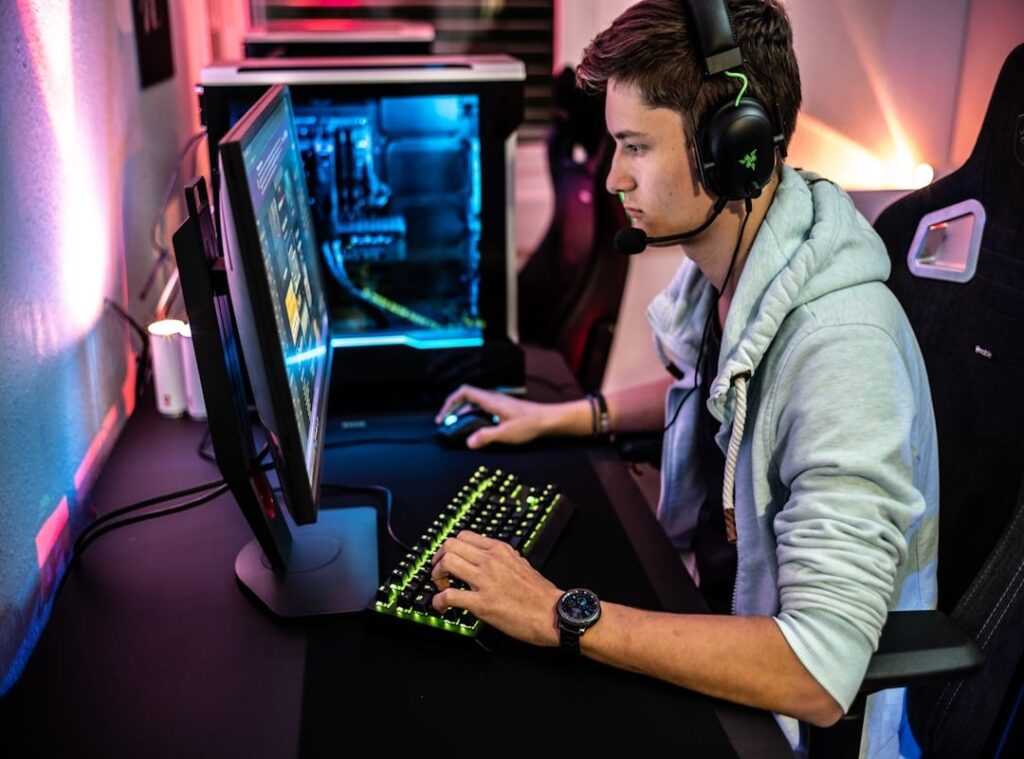
Gaming can be brutal on your body, right? You spend hours in front of the screen, your back screaming, wrists aching, and eyes stinging. It’s a gamer’s nightmare.
But there’s hope with ergonomic upgrades gamers need to consider. Why suffer when you can game in comfort? Why let your body pay the price for what should be pure enjoyment?
I get it. You’re worried about investing in yet another gaming gadget that promises the world. What if it doesn’t deliver?
You should know, we’re not pulling this out of thin air. We’ve consulted experts and tested the tech. Ergonomics isn’t just a buzzword.
It’s about making sure you can keep playing without the pain.
In this article, we’re diving deep into the real stuff. Forget the fluff. You’ll get clear, honest answers on what works and what doesn’t.
Ready to game longer and feel better? This is the guide you’ve been waiting for.
Ergonomics: The Secret Weapon for Gamers
Let’s talk about ergonomics in gaming. It’s not just about avoiding back pain or wrist strain. It’s about setting up your gaming station so your body can perform at its peak.
Think of it like a pro athlete’s custom gear. You wouldn’t see LeBron James playing in shoes that don’t fit, right? Your setup should be no different.
Ergonomics directly impacts gaming KPIs (key performance indicators). Aiming stability, for instance, benefits from a solid core and well-supported arms. It leads to smoother, more consistent mouse movements.
And when you’re not distracted by discomfort, your reaction time improves. Your brain can focus on the game, not on how much your neck hurts (we’ve all been there).
There’s also endurance. Playing for hours during a tournament or a ranked grind is more about consistency than anything else. If your body isn’t fatigued, you’ll maintain that high level of play.
Here’s a pro tip: keep your cables managed to maintain a clean setup. It helps reduce clutter and distractions. You can learn more about this in a guide that dives into the art of cable management.
It’s about making ergonomic upgrades gamers often overlook, but trust me, they make all the difference.
In short, if you’re serious about gaming, don’t ignore ergonomics. It’s the untapped meta for achieving peak performance. So, why wouldn’t you give yourself every edge you can?
Your setup should work for you, not against you.
Building Your Foundation: The Desk and Chair Nexus
Let’s get one thing straight: your desk and chair are a team. Treat them as a single system. They’re the backbone of your setup and directly impact how you feel after a long gaming session.
Start with the chair. Finding the right gaming chair means looking at adjustable features. Lumbar support isn’t just a nice-to-have.
It’s key (trust me, your spine will thank you). Look for adjustable armrests. Ideally, those fancy 4D ones.
Seat height should be easy to change, and having a tilt or recline function is a must. Not everyone thinks about this, but the setup process is key. Feet flat on the floor, knees at a 90-degree angle.
Easy, right?
Now, adjust the lumbar support. It should fit naturally with the curve of your lower back (none of that forced posture nonsense). Set armrests so your elbows are at a right angle and your shoulders stay relaxed.
There’s nothing worse than tensing up mid-game because your chair’s fighting you.
The desk comes next. Its height is more important than most people realize. Your arms should rest comfortably at 90 degrees without making your shoulders rise like you’re doing some weird shoulder workout.
And don’t forget about the surface depth. You need enough room for your monitor and your forearms. Trust me, cramming everything onto a tiny desk is a disaster waiting to happen.
Considering a standing desk? It can break up those long hours of sitting. A surprise hit in the gaming world is standing desks.
They keep you mobile, which is a game-changer for those epic marathon sessions.
So, what are the actual benefits here? For starters, a neutral, supported posture leads to less fatigue and a better focus on your game. This is where ergonomics come into play.
It’s about comfort and efficiency. Ergonomic upgrades gamers love lead to better performance and fewer distractions.
Get your foundation right, and the rest falls into place. Your body (and your win rate) will thank you.
Game On: Perfecting Your Setup for Peak Play
When it comes to gaming, your mouse, keyboard, and monitor aren’t just tools. They’re extensions of you. Let’s get into it: they’re the points of direct physical interaction with your game.

So, their ergonomics? Absolutely key for performance.
Mouse & Grip Style: Here’s the deal with mice. There are three main grip styles: Palm, Claw, and Fingertip. Your hand size and grip style should dictate the shape and size of your mouse. If you’re a palm grip person like me, go for those larger, ergonomic mice (they’re) lifesavers. Prefer fingertip? Smaller, ambidextrous models are your best bet. And don’t underestimate the value of lightweight mice. These can reduce wrist and finger strain, especially during those fast, repetitive movements. Ever felt wrist pain after a long session? Yeah, a lighter mouse helps.
Let’s talk keyboards. Different sizes. Like TKL, 75%, 65%.
Offer unique ergonomic benefits. They let you position your mouse naturally, which is key for comfort. Keeping your wrists in a ‘wrist neutral’ position (straight, not bent) is a game-changer.
Consider a wrist rest if needed. For those with significant wrist discomfort, split or angled keyboards might just be worth the investment. They’re advanced but effective options.
Now, about your monitor placement. The top should be at or slightly below eye level. This isn’t just a rule; it’s a way to prevent neck strain and keep your posture in check.
Viewing distance should be about an arm’s length away. Simple, right? But so often overlooked.
Trust me, proper cooling can make or break your setup.
Here’s a pro tip: if you’re gaming for long stretches, take breaks. Your body will thank you. And while you’re upgrading, don’t forget to check out cooling systems keep pc running smoothly.
In the end, ergonomic upgrades gamers need aren’t just about comfort. They’re about performance too. A comfortable gamer is a better gamer.
And that’s what we’re all aiming for, isn’t it?
The Last 10%: Lighting, Audio, and Breaks
Let’s talk about lighting. Gaming in a pitch-black room? That’s a rookie mistake.
Your eyes deserve better. Soft, ambient light behind your monitor can work wonders. It reduces harsh contrast and keeps eye strain at bay.
Trust me, your eyes will thank you.
Now, about audio. If your neck’s been feeling like it’s carrying bricks, your headset might be the culprit. Lightweight headsets or in-ear monitors are a game-changer.
They cut down on neck strain when you’re deep in a marathon session. Simple swap, big relief.
And there’s the 20-20-20 rule. It’s not just a catchy phrase. Every 20 minutes, look at something 20 feet away for 20 seconds.
It’s a non-negotiable habit for gamers serious about ergonomic upgrades. Stand, stretch, and let your eyes reset. Pro tip: Your body needs breaks, not just your mind.
These small tweaks separate the good setups from the great ones.
Your Setup, Reimagined
Let’s face it: physical limits keep you from hitting your peak. You don’t need to settle. A smart ergonomic setup changes the game.
It’s not just comfort. It’s an edge. This guide?
It’s your blueprint for ergonomic upgrades gamers crave.
Now, do something. Go to your setup. Lower your chair.
Move your monitor. Stretch those wrists. Trust me, your future self will thank you after that next marathon session.
Ready for real change? Dive in. Make the first move.
Your skill ceiling is higher than you think. Get started now. Don’t wait.
Your performance awaits.
 Senior Esports Strategy Analyst
There is a specific skill involved in explaining something clearly — one that is completely separate from actually knowing the subject. SavepointMaja has both. They has spent years working with current highlights in a hands-on capacity, and an equal amount of time figuring out how to translate that experience into writing that people with different backgrounds can actually absorb and use.
SavepointMaja tends to approach complex subjects — Current Highlights, Esports Tournament Insights, Deep Dives being good examples — by starting with what the reader already knows, then building outward from there rather than dropping them in the deep end. It sounds like a small thing. In practice it makes a significant difference in whether someone finishes the article or abandons it halfway through. They is also good at knowing when to stop — a surprisingly underrated skill. Some writers bury useful information under so many caveats and qualifications that the point disappears. SavepointMaja knows where the point is and gets there without too many detours.
The practical effect of all this is that people who read SavepointMaja's work tend to come away actually capable of doing something with it. Not just vaguely informed — actually capable. For a writer working in current highlights, that is probably the best possible outcome, and it's the standard SavepointMaja holds they's own work to.
Senior Esports Strategy Analyst
There is a specific skill involved in explaining something clearly — one that is completely separate from actually knowing the subject. SavepointMaja has both. They has spent years working with current highlights in a hands-on capacity, and an equal amount of time figuring out how to translate that experience into writing that people with different backgrounds can actually absorb and use.
SavepointMaja tends to approach complex subjects — Current Highlights, Esports Tournament Insights, Deep Dives being good examples — by starting with what the reader already knows, then building outward from there rather than dropping them in the deep end. It sounds like a small thing. In practice it makes a significant difference in whether someone finishes the article or abandons it halfway through. They is also good at knowing when to stop — a surprisingly underrated skill. Some writers bury useful information under so many caveats and qualifications that the point disappears. SavepointMaja knows where the point is and gets there without too many detours.
The practical effect of all this is that people who read SavepointMaja's work tend to come away actually capable of doing something with it. Not just vaguely informed — actually capable. For a writer working in current highlights, that is probably the best possible outcome, and it's the standard SavepointMaja holds they's own work to.