You’re in the heat of battle, adrenaline pumping. Then. Bam!
Your game stutters, lags. Sound familiar? Blame overheating, the silent saboteur of gaming performance.
It’s frustrating, right? Gaming pc cooling isn’t just a luxury; it’s a necessity. Overheating throttles performance, strangling those precious frames per second.
I’ve seen countless high-performance rigs at esports events. Trust me: proper cooling turns a good build into a great one. If you’re tired of your system letting you down when it matters most, you’re in the right place.
This guide cuts through the noise, offering clear solutions to keep your PC cool and stable. No fluff, no jargon. By the end, you’ll know exactly how to maintain peak speed.
Ready to stop the lag for good?
Why Your Gaming PC Overheats: And Why It Matters
Let’s talk about thermal throttling. It’s like your gaming PC’s panic button. When things get too hot, it slows down your CPU and GPU to prevent a meltdown.
You know what that means: lost frames, input lag, and those sudden crashes that make you want to throw your keyboard out the window.
What causes all this heat? The usual suspects are the CPU (the brain of your PC) and the GPU (the graphics powerhouse). These guys work hard and when they do, they heat up fast.
And if you’re a hardcore gamer or just someone who spends hours on end playing, you know the importance of good gaming pc cooling.
So, what’s the first step to figuring out if this is your problem? Download a free tool like HWMonitor or MSI Afterburner. These tools let you peek behind the curtain and see those temperatures for yourself.
If you’re thinking about building the perfect gaming rig on a budget, consider cooling options right from the start. Don’t wait until you’re dealing with a boiling PC. Prevention is key.
It’s like a diagnostic check-up for your PC.
Keep your rig cool, and your games smoother.
Air vs. Liquid: The Gaming PC Cooling Duel
When it comes to gaming pc cooling, you have two main contenders: air and liquid cooling. Picking between them is the core decision for most builders. So, what are we really talking about here?
Air cooling is like your reliable old friend. It uses a metal heatsink to suck heat away from the CPU, then a fan blows that heat out. Pretty straightforward.
It’s a cost-effective and simple solution. One of the best things about it is the price (lower) than liquid, for sure. Also, installation is a breeze.
You pop it on, and you’re done. Plus, there’s just one moving part: the fan. Fewer parts mean fewer things can break (most of the time).
But, let’s not pretend there aren’t any drawbacks. Air coolers can be bulky. You’ve got to check if they’ll fit in your case.
And if you’re planning on heavy overclocking, they might not cut it. Performance isn’t always consistent either. It varies a lot based on what you spend.
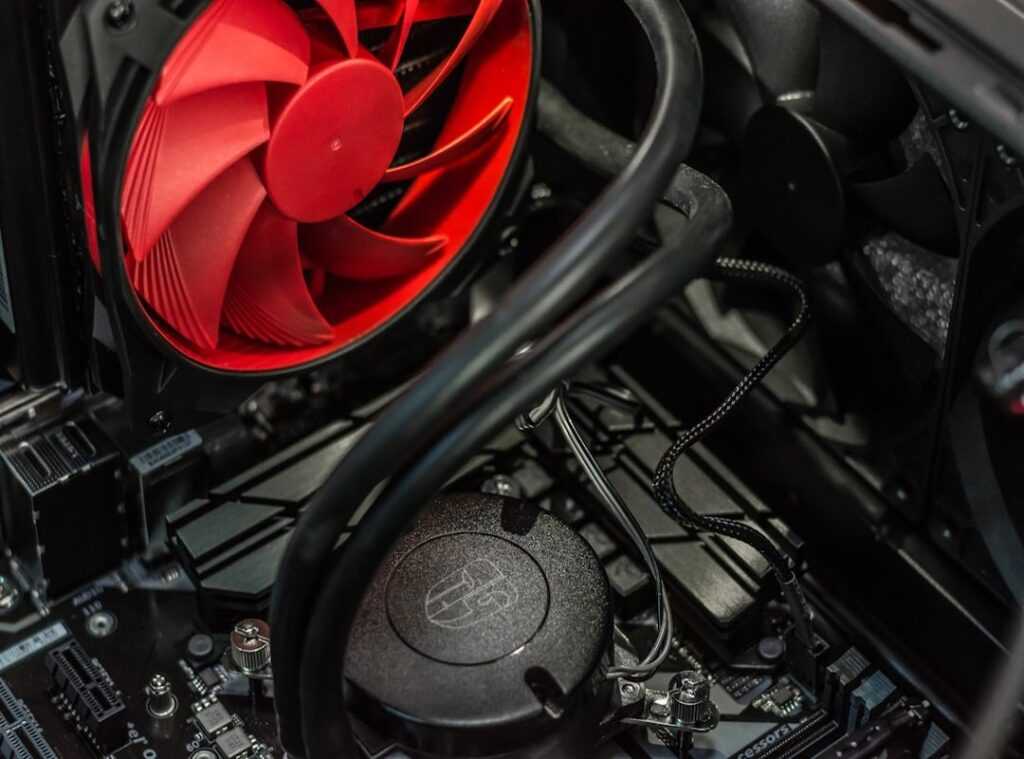
On the other side, we have liquid cooling, specifically All-In-One (AIO) systems. These circulate liquid over the CPU to a radiator where fans cool the liquid down. It’s the high-performance option.
What’s not to love about superior cooling and a quieter operation? Also, it makes your build look cleaner inside.
But. And there’s always a but. It’s pricier.
Installations are more complex too. More parts mean more potential points of failure. The pump could die, or worse, you could get a leak (not common, but still).
If you’re looking for cpu coolers: air and water cooling kits, and you’re leaning towards aesthetics or squeezing every drop of performance, liquid might be your pick. But for budget to mid-range builds, air cooling is still king.
Optimizing Airflow: The Unsung Hero of PC Cooling
Let’s get real for a second. All the high-end processors and GPUs mean squat if your case airflow is trash. You can slap on the best CPU cooler money can buy, but without proper airflow, it’s like putting a bandaid on a bullet wound.

Here’s the deal: your gaming rig can’t thrive without getting fresh, cool air in and hot air out. the airflow path comes into play. Think of it as a highway (minus the traffic jams). You want an fast airflow path.
Intake fans at the front and bottom pulling in the coolness, and exhaust fans at the rear and top pushing the heat out. Simple, right? I mean, this is basic stuff, yet too many gamers overlook it.
Ever heard of positive vs. negative pressure? It’s not just nerd talk. Positive pressure (more air in than out) helps keep dust at bay by pushing air out of any opening.
Negative pressure (more air out than in) sucks air in through every little crack (dust’s) best friend, basically. Choose wisely.
And let’s not forget cable management. No one likes a tangled mess. Zip ties or velcro are lifesavers here.
They clear up airflow paths and make you look like you know what you’re doing.
Oh, and clean those dust filters regularly. They’re there for a reason, people. Trust me, nobody wants a dust storm in their PC.
For more on gaming setups, take a peek at the Top Five Ergonomic Upgrades Gamers.
In gaming pc cooling, airflow isn’t just important (it’s) important.
Beyond the CPU: Cooling the Whole Beast
Let’s face it, when it comes to gaming pc cooling, many folks obsess over the CPU. But hey, don’t forget the other sizzling components! Your GPU, for example, is like a beast of its own.
Modern gaming GPUs usually come with their own cooling. Fans, vapor chambers, the whole shebang. But that’s not an excuse to ignore them.
You need good airflow throughout the case. The GPU’s cooler isn’t a miracle worker.
Now, think about your RAM and motherboard (those VRMs can heat up like a summer’s day). Sure, they don’t get as hot as the CPU or GPU, but they still contribute to the overall heat. So, what’s the solution?
Again, it’s about airflow. A good case design means you won’t need any fancy coolers for these parts. Simple, right?
Then there’s thermal paste. It’s a key component in your cooling setup. Basically, it fills those tiny gaps between your CPU and its heatsink.
This ensures fast heat transfer. If your rig is over three or four years old, here’s a pro tip: replace the thermal paste. It’s cheap and can work wonders on lowering temperatures.
Seriously, why wouldn’t you?
In the end, cooling isn’t just about the CPU or flashy fan lights. It’s the whole system. Everything needs attention.
So next time you’re tweaking your setup, give some love to your entire machine. Trust me, your games will thank you.
Game On: Keep Your PC Cool, Stay Ahead
Your search for gaming pc cooling solutions ends here. Seriously, a hot PC is a slow PC. We both know it.
Let your gaming machine breathe. Choose wisely between air and liquid cooling and make sure solid case airflow. This isn’t rocket science, folks.
It’s about beating thermal throttling.
You want peak performance, right? So take action. Open that case, check for dust, and review your fan setup.
Your next gaming session will thank you for it.
Don’t let heat steal your wins. Cooling down your PC might just be your next big gaming hack. Want an edge over the competition?
Keep your temps low. That’s the play. Your first step is easy.
Let’s make your gaming rig perform like you intend it to. Ready to dominate?
 Gaming Experience & Setup Optimization Specialist
There is a specific skill involved in explaining something clearly — one that is completely separate from actually knowing the subject. odd_cobble has both. They has spent years working with esports tournament insights in a hands-on capacity, and an equal amount of time figuring out how to translate that experience into writing that people with different backgrounds can actually absorb and use.
odd_cobble tends to approach complex subjects — Esports Tournament Insights, Current Highlights, Gaming Setup Optimization being good examples — by starting with what the reader already knows, then building outward from there rather than dropping them in the deep end. It sounds like a small thing. In practice it makes a significant difference in whether someone finishes the article or abandons it halfway through. They is also good at knowing when to stop — a surprisingly underrated skill. Some writers bury useful information under so many caveats and qualifications that the point disappears. odd_cobble knows where the point is and gets there without too many detours.
The practical effect of all this is that people who read odd_cobble's work tend to come away actually capable of doing something with it. Not just vaguely informed — actually capable. For a writer working in esports tournament insights, that is probably the best possible outcome, and it's the standard odd_cobble holds they's own work to.
Gaming Experience & Setup Optimization Specialist
There is a specific skill involved in explaining something clearly — one that is completely separate from actually knowing the subject. odd_cobble has both. They has spent years working with esports tournament insights in a hands-on capacity, and an equal amount of time figuring out how to translate that experience into writing that people with different backgrounds can actually absorb and use.
odd_cobble tends to approach complex subjects — Esports Tournament Insights, Current Highlights, Gaming Setup Optimization being good examples — by starting with what the reader already knows, then building outward from there rather than dropping them in the deep end. It sounds like a small thing. In practice it makes a significant difference in whether someone finishes the article or abandons it halfway through. They is also good at knowing when to stop — a surprisingly underrated skill. Some writers bury useful information under so many caveats and qualifications that the point disappears. odd_cobble knows where the point is and gets there without too many detours.
The practical effect of all this is that people who read odd_cobble's work tend to come away actually capable of doing something with it. Not just vaguely informed — actually capable. For a writer working in esports tournament insights, that is probably the best possible outcome, and it's the standard odd_cobble holds they's own work to.